
How to access your photos
A seamless, secure and convenient way to view and order your child’s photos — every family receives a unique access code after photo day.
The process
-
Secure email submission
Your school securely provides us with your email address. Be sure your current email is on file with your school!
-
Pre-photo-day updates
Before photo day, you’ll receive one or two emails from us with important details and reminders.
-
Post-photo-day access
After photo day, we process the photos and email you a secure, unique access code for each child, with a link to their gallery.
-
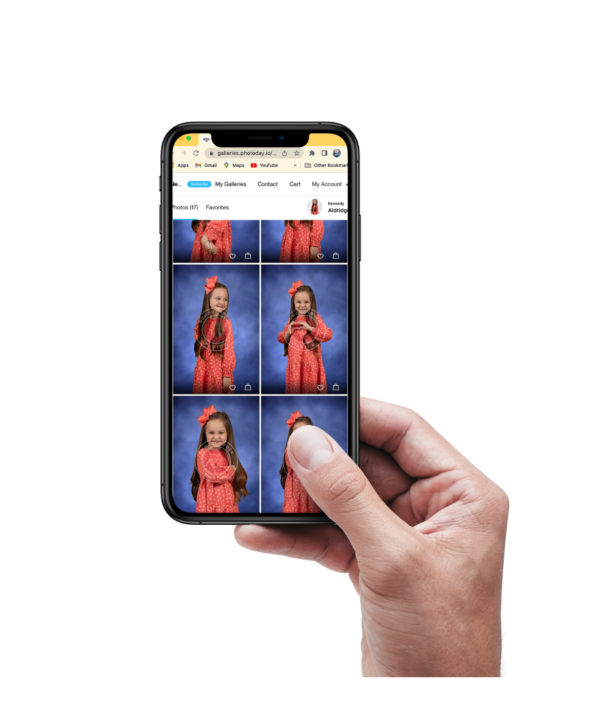
View & shop
Paste your access code into the “Add New Gallery” field to log in. You’ll see all of your child’s photos and can begin shopping.
-
Multiple students?
Click “Return to My Galleries” and use the “+” button to add another access code. Note: only one child can be added per package.
Prefer to use your phone?
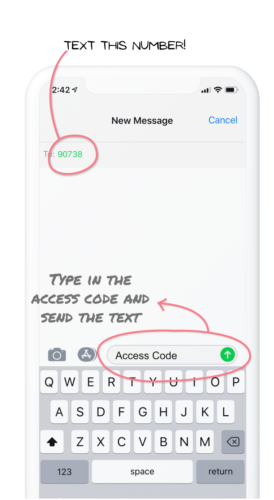
Text your unique access code to the number shown and you’ll get a link straight to your child’s gallery — no browser login needed. You can also access galleries any time at galleries.photoday.io.
Lost your access code?
Call us at 513-400-4222 or email info@schoolhousephotos.com and we’ll get you back into your gallery.